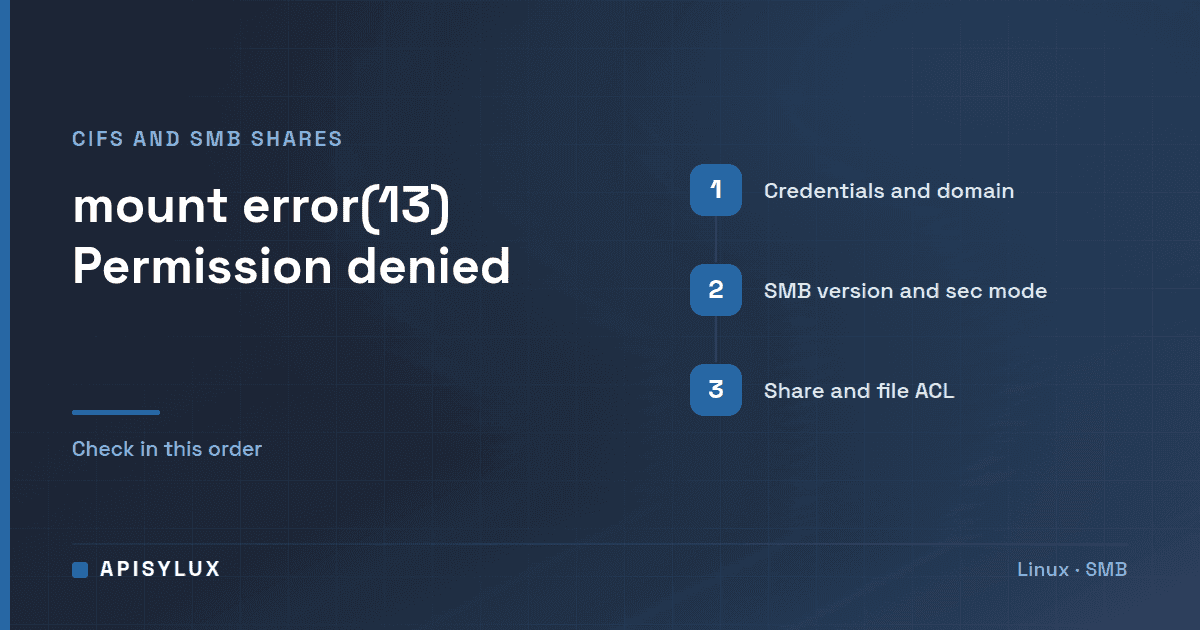
"mount error(13): Permission denied" means the SMB server refused the login or the share, and the Linux client reported the error code for permission denied (EACCES, errno 13). Work through the causes in order: a wrong username, password or domain in your credentials file, an SMB version or authentication mode the server will not accept (vers=, sec=), and finally a share or filesystem ACL that does not list your account.
Key takeaways
- Error 13 is EACCES, "Permission denied" in the Linux errno list. For a CIFS mount it usually comes from the server's logon or share check.
- Put the login in a credentials file with mode 600 instead of typing the password on the command line.
- Start without
vers=andsec=. Add them only when authentication still fails, as Ubuntu's documentation advises. - Read
dmesgstraight after the failure. The kernel log usually names the real reason. - If the mount works but files are denied, the problem is the share or filesystem ACL, not the login.
What does mount error(13) mean?
The full message is usually:
mount error(13): Permission denied
Refer to the mount.cifs(8) manual page (e.g. man mount.cifs) and kernel log messages (dmesg)
The number is the Linux errno. The errno(3) manual page lists EACCES as "Permission denied". The tool did not fail to find the share. The server, or the security negotiation with it, said no. That is different from the "you might need a /sbin/mount.<type> helper program" error, which means cifs-utils is missing and the request never reached the server.
Need help with Linux?
Get a free strategy session with our experts — no commitment required.
Typical causes, roughly in order of how often they bite:
- Wrong username, password or domain, or special characters mangled on the command line.
- The client and server cannot agree on an SMB dialect or an authentication method.
- The account is valid but is not allowed on the share, or lacks rights on the underlying folder.
Are the username, password and domain right?
Test the login before touching mount options. If the smbclient package is installed, smbclient -L server -U user asks for the password and lists the shares the server offers. If that login fails too, the account details are wrong. If it succeeds but the mount does not, look at the mount options next; note that mount.cifs, unlike smbclient, ignores smb.conf completely, so it only knows what you pass it.
Then move the login into a credentials file. The mount.cifs(8) manual page documents the format (username=, password=, domain=) and calls it preferred over plaintext passwords in a shared file such as /etc/fstab. It also warns that a password containing a comma fails to parse on the command line, which the file avoids.
sudo install -m 600 /dev/null /root/.smbcredentials
sudo nano /root/.smbcredentials
username=jsmith
password=YourPasswordHere
domain=EXAMPLEsudo mkdir -p /mnt/share
sudo mount -t cifs //server/share /mnt/share -o credentials=/root/.smbcredentials,uid=1000,gid=1000Notes on the options:
domain=is the domain or workgroup. Per the manual page, if none is given the empty domain is used. Ubuntu's guide gives the classic case: if you were told your username isSALES\sally, the username issallyand the domain isSALES.- No spaces around the equals signs. Ubuntu's troubleshooting notes say it should be
password=mspassword, notpassword = mspassword. uid=andgid=set who owns the files on the Linux side when the server does not supply ownership. They do not grant access on the server; the manual says server-side checks always use the credentials the share was mounted with.- Typing
-o username=jsmith,password=secretworks but leaves the password in your shell history, and a password containing a comma will not parse. Use the credentials file. Ubuntu's guide also tells you to runchmod 600on it.
Which vers= and sec= options do Windows, TrueNAS and Samba accept?
Since kernel 4.13.5 the client and server negotiate the highest version at or above SMB 2.1, according to the manual page. Ubuntu's CIFS guide says SMB1 is insecure and no longer supported, and advises that you first try specifying neither sec= nor vers=. Only if you still see authentication errors should you add one or both.
When you do, these are the values worth knowing:
| Option | Meaning | When to try it |
|---|---|---|
vers=3.0 (or 3.1.1, 2.1) | Forces an SMB dialect. The manual page lists 1.0, 2.0, 2.1, 3.0, 3.02 and 3.1.1. | The server requires a specific dialect, or negotiation fails. |
sec=ntlmssp | NTLMv2 password hashing inside a raw NTLMSSP message. It is the default since kernel 3.8. | Something is overriding the mode, for example an old script or fstab line. |
sec=ntlmv2 | NTLMv2 password hashing. | Rarely needed. Only if the server's own documentation asks for it. |
sec=krb5 | Kerberos version 5 authentication. | Domain environments that enforce Kerberos. You need a valid ticket, and for root mounts cruid= (the owner of the credentials cache) may matter. |
sec=ntlm | Plain NTLM hashing, the default before kernel 3.8. | Avoid. This is NTLMv1, which Samba refuses by default and TrueNAS leaves off unless you enable it. |
On the server side, Samba's ntlm auth parameter defaults to ntlmv2-only and server min protocol defaults to SMB2_02, per the smb.conf(5) manual. An old client forcing SMB1 or NTLMv1 is therefore rejected by default. TrueNAS's SMB reference says SMB1 is disabled by default, that NTLMv1 is insecure and off unless you enable it, and that Windows 11 24H2 and Windows Server 2025 removed NTLMv1. Fix the client rather than weakening the server.
sudo mount -t cifs //server/share /mnt/share -o credentials=/root/.smbcredentials,vers=3.0,sec=ntlmssp,uid=1000,gid=1000Does the account have share and filesystem (ACL) permission?
If the login is right and the dialect is fine, the account may simply not be allowed. Check, on the server:
- The share's own access list includes your user or one of its groups.
- The folder underneath grants that account rights. When both layers exist, you are limited by the stricter one.
- The account is not locked out. In the Linux kernel's SMB client, a locked-out account (
STATUS_ACCOUNT_LOCKED_OUT) maps to the same error 13 as a bad password, so repeated retries with a wrong password can lock the account and keep producing the same message. A disabled account or an expired password maps to different error codes.
On TrueNAS, the TrueNAS 25.10 permissions documentation says SMB shares require the more robust configuration of an NFSv4 ACL (datasets created with the SMB preset get one), and that a dataset does not have an ACL until you configure it, even though the Permissions widget shows ACL information. Make sure your user, or a group it belongs to, has an entry. See our TrueNAS storage page for how we approach shares.
A useful split: if mount itself fails with error 13, the login or negotiation failed. If the mount succeeds but ls or a file open says "Permission denied", the share or filesystem ACL is the cause.
How do I read the real reason in dmesg?
Run this right after the failed mount:
sudo dmesg | tail -n 30Look for CIFS lines. In the Linux kernel's SMB client source, a rejected login is logged as a status code line, and the failed session setup as an errno:
Status code returned 0xc000006d STATUS_LOGON_FAILURE
Send error in SessSetup = -13
STATUS_LOGON_FAILURE points at the username, password or domain. STATUS_ACCOUNT_LOCKED_OUT means the account is locked. STATUS_ACCESS_DENIED after a successful login points at share or folder permissions. Messages about dialect negotiation or the security mode point at vers= or sec=. If you see nothing useful, check that the server is reachable: per mount.cifs(8), the client tries TCP port 445 first and then 139, so a firewall in the way shows up as a connection error rather than error 13.
Once it works, add the mount to /etc/fstab using the credentials file, as in Ubuntu's guide:
//server/share /mnt/share cifs credentials=/root/.smbcredentials,uid=1000,gid=1000 0 0Test it with sudo mount -a before you reboot.
FAQ
Is mount error(13) the same as a wrong password?
Often, but not always. Error 13 is the generic "permission denied". A wrong password, a missing domain, a locked-out account and a server-side access denial can all produce it, and Ubuntu's guide notes that some authentication errors need an explicit sec= or vers=. The kernel log tells them apart.
Why does it work from Windows but not from Linux?
A Windows PC that is signed in to the domain may supply your domain and credentials for you. mount.cifs sends only what you put in the options or credentials file, uses the empty domain if you give none, and ignores smb.conf. So set domain=, and set vers= and sec= only if authentication still fails.
Do I need sudo?
Yes. The mount.cifs(8) manual says it may be used only by root unless it is installed setuid. Without root, the mount fails on that rule rather than on your credentials, so always test with sudo before you start changing passwords or ACLs.
Should I use noperm to get past it?
No. The manual page describes noperm as turning off client-side permission checks, which helps when UID and GID mappings do not line up. It does not bypass the server's checks. Fix the account or the ACL instead of weakening access.
If shares keep failing across several machines, our remote IT support team can look at the server and the clients together.