Overview
Root is a role for user in linux that gives you permissions to change, modify and remove Operating system files. Normal user is not allowed to open, edit and change the system files. Linux gives you the full power to modify the OS as you want, for which 'Root' is provided. To use the root, you need to set root password first.
On fresh installation of Ubuntu, you need to set root account by setting its password. You can simply set the root password by running a simple command.
Need help with Linux?
Get a free strategy session with our experts — no commitment required.
To set root password:
Open Terminal by pressing ctrl+alt+T or by unity dash.
Type following command in the terminal:
sudo passwd
Key steps and notes
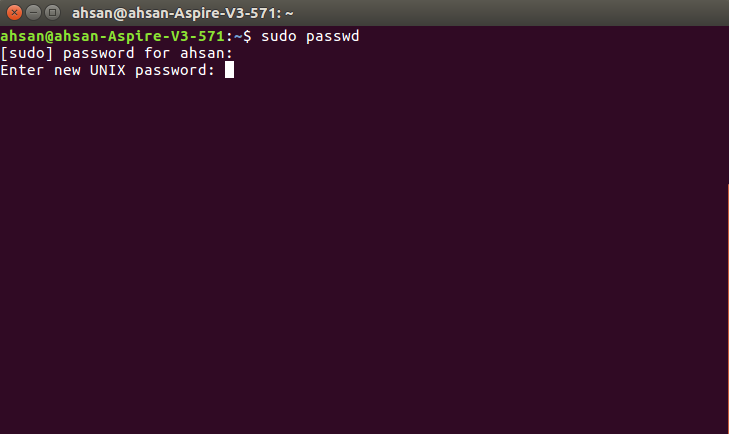
It will prompt you to enter current User Account Password and, then Enter and Re-enter the password for root. Terminal will not show you the typing indications, so type your password by keeping it in mind. Once you entered, password will be updated.
Now you can use 'root' roles by typing the following in the terminal:
su
It'll prompt the password for the root. Enter the previously updated password for root.
Final notes
Note: User Account and Root password is different.
Check out: how to install Wine on ubuntu