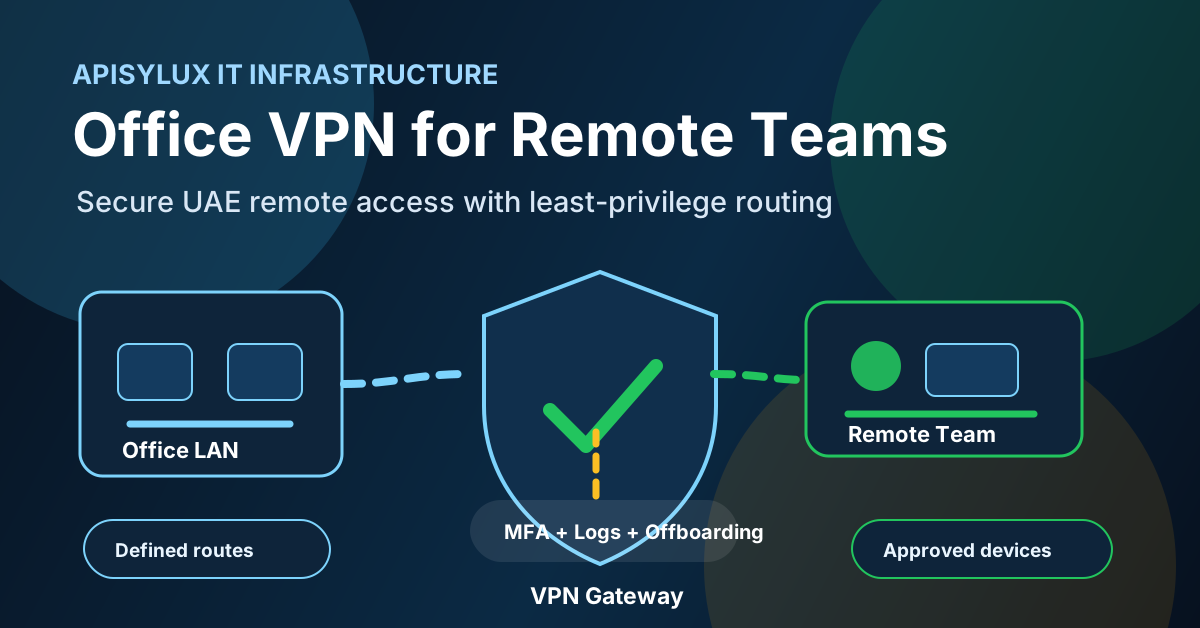
A VPN for a UAE office should be treated as secure remote access infrastructure, not a shortcut around telecom or content rules. The business goal is simple: give approved employees, contractors, and back-office teams encrypted access to the internal systems they need, while keeping file shares, admin tools, backup targets, and private applications away from unnecessary public exposure.
Business VPN use in the UAE
Use careful policy language when planning VPN access in the UAE. TDRA publishes official cloud infrastructure services that include secure virtual networking and VPN features, and it also publishes a website blocking and unblocking service for content that violates UAE laws. For a business VPN, the safest operating position is to document the legitimate corporate purpose, restrict access to approved work systems, and avoid using the VPN to bypass blocked services or content controls.
Need help with IT Infrastructure?
Get a free strategy session with our experts — no commitment required.
For regulated businesses or sensitive use cases, get legal or regulatory advice before relying on a broad interpretation of VPN rules. This guide focuses on corporate remote access design: employees, contractors, branch offices, and managed administrators connecting to internal company resources.
Remote access architecture
Do not start with a protocol choice. Start with the access model. A small office with remote accountants, support staff, or administrators may need more than one secure access path.
- Remote-access VPN: individual users connect from managed laptops or approved mobile devices to specific internal systems.
- Site-to-site VPN: branch offices, warehouses, server rooms, and cloud networks connect through fixed network gateways.
- Bastion or jump host: administrators connect first to a controlled management point before reaching servers, firewalls, NAS devices, or databases.
- VDI, RDS, or app portal: high-risk applications stay inside the business network while users interact through a controlled desktop or browser session.
- Zero-trust or SASE service: useful where identity, device posture, application-level access, and distributed users matter more than classic network routing.
Apisylux normally designs VPN access alongside network management and monitoring, cybersecurity controls, and private server hosting so the VPN is part of the operating model, not a standalone box.
WireGuard vs OpenVPN
WireGuard and OpenVPN can both be valid business choices. The right answer depends on identity requirements, firewall policy, client devices, audit needs, administrator skills, and support expectations.
| Factor | WireGuard | OpenVPN |
|---|---|---|
| Configuration model | Simple interface and peer configuration using key pairs and allowed IP routes. | SSL/TLS VPN model with certificate authority, client profiles, and detailed server/client configuration. |
| Best fit | Clean option for new deployments where lightweight client setup and straightforward peer routing are enough. | Strong fit where certificate lifecycle, user/group policies, TCP/UDP flexibility, and mature operational patterns are required. |
| Access policy | Route-based controls are clear, but identity integration often needs additional tooling or a managed layer. | Supports detailed access-control policies and certificate revocation patterns in mature deployments. |
| Operations watchpoint | Key inventory, device ownership, NAT behavior, and stale peer cleanup must be managed carefully. | Certificate lifecycle, profile sprawl, performance tuning, and config complexity need active administration. |
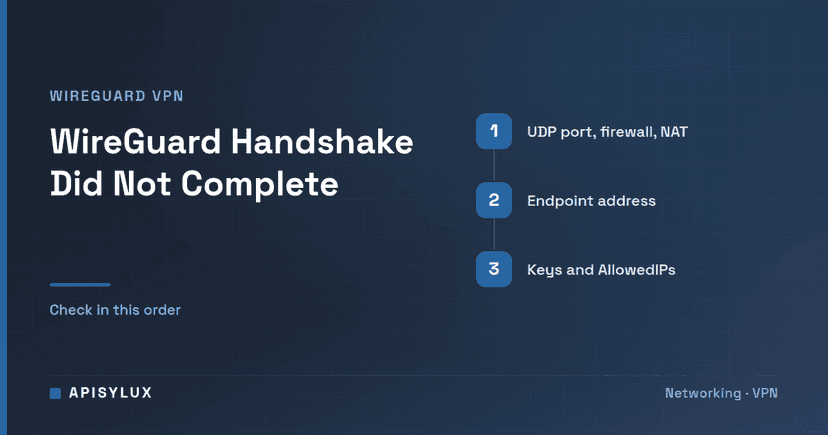
WireGuard documentation shows a compact peer model with private keys, public keys, allowed IPs, endpoint configuration, and persistent keepalive for some NAT scenarios. OpenVPN documentation emphasizes SSL VPN setup, client/server configuration, certificate authority planning, user or group-specific access control, and certificate revocation. Those differences matter more than protocol branding.
Least-privilege access design
The biggest VPN risk is usually excessive reach. A remote user who only needs accounting software should not automatically reach every workstation, backup target, NAS share, hypervisor, camera VLAN, and firewall interface.
- Create per-user or per-team access profiles instead of one shared VPN profile.
- Use MFA where the VPN product, identity provider, or access gateway supports it.
- Separate administrator access from normal employee access.
- Use explicit allowed routes and firewall rules for each role.
- Avoid shared credentials; every user or device should be traceable.
- Keep offboarding steps in HR and IT checklists so keys, certificates, and user accounts are removed quickly.
- Limit management interfaces to administrator groups and jump hosts.
Least privilege should also apply to backups and endpoint security. A compromised VPN account should not be able to erase backups or disable endpoint protection. Review why antivirus alone is not enough for endpoint security and the 3-2-1 backup strategy for UAE businesses before you give remote users broad internal reach.
Security hardening and monitoring
NIST SP 800-46 Rev. 2 treats telework, remote access, and BYOD security as a policy and operations problem. It recommends securing remote access technologies and securing the client devices that connect through them. For a UAE office, that means the VPN server is only one part of the control stack.
- Patch consistently: update the VPN server, operating system, firewall, client apps, and management UI.
- Harden identities: require MFA for remote access where possible, especially for administrators and finance users.
- Monitor sessions: review last-seen time, active sessions, failed authentication, source networks, and configuration changes.
- Alert on drift: flag stale devices, inactive users, unexpected regions, new peer profiles, and unusual data transfer patterns.
- Rotate access: set a key or certificate review cadence and immediately revoke access during offboarding.
- Protect logs: forward VPN and firewall logs to a place users and attackers cannot casually edit.
- Test recovery: keep a documented rollback path for firewall rules, VPN config, and remote admin access.
Source allowlists and geography rules can reduce noise, but do not treat them as the primary security control. Stolen credentials, compromised endpoints, and unmanaged devices still need MFA, endpoint posture checks, monitoring, and fast response.
Rollout checklist
- List every user group, device type, office, and internal system that needs remote access.
- Classify access by role: finance, operations, support, developers, management, vendors, and administrators.
- Choose the access pattern: remote-access VPN, site-to-site VPN, app portal, bastion host, or a mix.
- Select WireGuard, OpenVPN, or a managed access platform based on identity, policy, support, and client requirements.
- Define MFA, device posture, password, and offboarding rules before onboarding users.
- Create firewall rules that expose only required destinations for each role.
- Document the emergency access plan so administrators do not get locked out during a misconfiguration.
- Run a small pilot with logging enabled and check performance, failed logins, and access reach.
- Train users on allowed use, reporting lost devices, and avoiding bypass activity.
- Review access monthly and remove inactive profiles, stale devices, and unused routes.
If your team needs secure remote access without opening internal systems to unnecessary risk, book a VPN architecture review. Apisylux can map users, routes, MFA, firewall policy, logging, and recovery before implementation.