A TrueNAS file server can give a Dubai office a controlled storage platform for shared folders, project files, accounting archives, design assets, CCTV exports, backups, and branch-office data. The successful deployments are not the ones that simply install TrueNAS and create one large share. They start with a storage design, user model, backup policy, and recovery plan.
This guide shows the practical sequence Apisylux uses when planning a TrueNAS office file server: hardware and network sizing, pool design, datasets, SMB shares, permissions, snapshots, replication, backup, UPS, monitoring, and user rollout. It is written for business deployment planning, not as a replacement for the official TrueNAS documentation.
Need help with IT Infrastructure?
Get a free strategy session with our experts — no commitment required.
- Quick answer
- Preflight questions
- Hardware and network planning
- Storage pools and datasets
- SMB shares for office users
- Permissions and identity
- Snapshots and rollback
- Backup and replication
- UPS, monitoring and operations
- Rollout checklist
- Sources checked
Quick answer
For a small Dubai office, the safest TrueNAS file-server design is usually a dedicated server or appliance with server-grade disks, enough memory, a UPS, clear SMB shares, role-based permissions, periodic snapshots, offsite backup or replication, monitoring alerts, and a documented restore process.
Do not treat TrueNAS as a single shared folder on spare hardware. ZFS is powerful, but a business file server still needs planning: pool layout, capacity reserve, user groups, ransomware recovery, backup isolation, network throughput, maintenance windows, and support ownership.
Preflight questions
Before hardware is purchased, collect the information that shapes the file-server design:
- How much live data exists today, and how fast does it grow each year?
- Which teams need shares: finance, HR, projects, design, operations, CCTV, management, or clients?
- How many users access files at the same time?
- Are files mostly office documents, CAD, video, photos, accounting databases, or backup images?
- Do users authenticate through Microsoft Entra Domain Services, Active Directory, local accounts, or another directory?
- What restore time is acceptable after accidental deletion, ransomware, disk failure, or server failure?
- Where will offsite backups or replication live?
These answers determine the pool layout, network speed, share design, snapshot retention, and support model. If the server is business critical, also compare TrueNAS Community vs Enterprise before deciding on a self-managed build.
Hardware and network planning
TrueNAS can run on suitable server hardware, but office reliability depends on more than CPU and drive count. For production, plan server-grade storage, a healthy boot device strategy, adequate memory, non-RAID HBA/controller mode where appropriate, a UPS, environmental cooling, alerts, spare disks, and a support path.
Network planning matters as much as disks. A 1 GbE uplink may be enough for a small office with documents. Design, media, CCTV, and backup workloads often need 2.5 GbE, 10 GbE, or link aggregation depending on the switches and users. Do not buy disks before validating the network path between user PCs, switches, firewall, and the TrueNAS server.
Use the TrueNAS storage calculator to estimate usable capacity, then leave growth reserve for snapshots, replication, future data, and safe ZFS operation. Running a business storage pool close to full capacity creates operational risk.
Storage pools and datasets
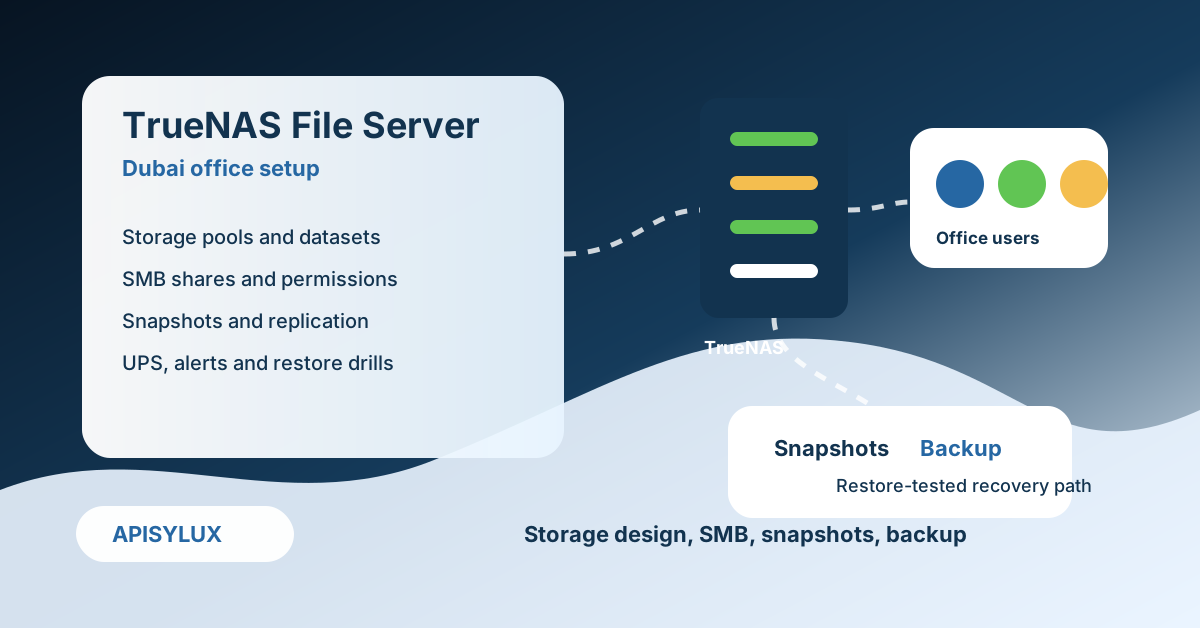
TrueNAS storage setup starts with pools and datasets. The pool is the storage foundation. Datasets let you separate permissions, snapshots, quotas, compression, and retention by business area. For a Dubai office, a dataset-per-department design is usually cleaner than one large share.
A practical dataset layout might include finance, HR, projects, design, management, scans, CCTV exports, and backups. This lets you apply different retention and access rules. HR and finance may need tighter permissions and longer retention; design may need high throughput; CCTV exports may need capacity limits.
Pick the vdev layout based on failure tolerance and performance needs. Mirrors can be strong for random I/O and expansion flexibility. RAIDZ layouts can be efficient for capacity. The right answer depends on drive count, workload, recovery objective, and budget.
SMB shares for office users
Most Dubai offices need SMB shares because Windows clients are common and macOS users can also connect. TrueNAS SMB documentation covers SMB service behavior and Windows-share configuration. For business use, keep share names simple, map them through group policy or endpoint management, and avoid exposing administrator paths to normal users.
Common shares include Company, Finance, HR, Projects, Design, Management, ScanDrop, and Archive. Keep the share list small enough that users understand where files belong. Excessive shares create support tickets and permission drift.
If users need a cloud-drive style workspace, compare the file-server design with a private cloud layer such as Nextcloud or Synology Drive. The private Google Drive alternative guide covers those patterns.
Permissions and identity
Permissions should be group-based, not user-by-user. Create groups such as FinanceRW, HRRW, ProjectsRW, DesignRW, ManagementRW, and ArchiveRO. Assign users to groups, then apply permissions at the dataset or share level. This makes onboarding, role changes, and offboarding easier to audit.
For larger offices, integrate identity through Active Directory or an equivalent directory service instead of maintaining separate local accounts. For very small offices, local accounts can work, but they still need a documented owner, password policy, and offboarding process.
Do not give normal users broad delete access to backup or archive datasets. Separate operational shares from backup targets so a compromised workstation cannot remove both live files and backup copies.
Snapshots and rollback
Periodic snapshots are one of the main reasons to choose TrueNAS. They help recover from accidental deletion, file overwrites, and some ransomware scenarios. Snapshot schedules should match the business risk: frequent short-term snapshots for active shares, daily or weekly snapshots for slower archives, and documented retention for sensitive folders.
Snapshots are not backups by themselves. They usually live on the same storage system. If the server, pool, site, or administrator account is compromised, snapshots can be at risk. Use snapshots for fast rollback and pair them with replication or offsite backup for disaster recovery.
Backup and replication
TrueNAS replication can send snapshots locally or to another TrueNAS or backup server. For a Dubai office, the common patterns are local snapshot rollback, replication to a second device, and offsite backup to a private server, data center, or cloud target.
Follow a clear backup rule: live file server, local fast recovery, and offsite recovery. Keep backup credentials separate from normal user shares. Test restores, not just job completion. Document who receives alerts when replication fails.
If the file server supports critical workloads, consider a managed design through TrueNAS storage solutions or private server hosting so monitoring, backup, and recovery responsibilities are assigned.
UPS, monitoring and operations
A file server in an office needs power and operations planning. Connect the server to a properly sized UPS and configure graceful shutdown behavior. Monitor disk health, pool health, snapshot jobs, replication jobs, capacity, system updates, and login/audit events.
Set alert email before the server goes live. A failed disk or snapshot job that nobody sees is not an operational control. Also document how updates are approved, when maintenance windows happen, and how configuration backups are stored.
Rollout checklist
- Inventory data owners, folder structures, permissions, file sizes, and stale content.
- Design pools, datasets, shares, groups, snapshots, replication, and offsite backup.
- Build the server, update firmware where appropriate, configure TrueNAS, and set alerts.
- Create datasets and SMB shares with group-based access.
- Run a pilot with one department and test login, mapped drives, file locking, restore, and performance.
- Migrate data in controlled waves with owner sign-off.
- Lock down old file paths and communicate the new folder rules.
- Run the first restore drill and document the result.