TrueNAS and Synology are both strong business NAS options, but they solve different problems. TrueNAS is best when the storage platform itself is a core infrastructure layer: high-capacity file services, ZFS design, snapshots, replication, virtualization storage, object storage, and hardware flexibility. Synology is best when a team wants a polished appliance with simple administration, Synology Drive, built-in backup apps, and a familiar private-cloud experience.
For UAE businesses in 2026, the right answer depends less on brand preference and more on workload, support model, growth plan, and who will manage the system after installation. A 15-user office file share, a design studio with large media files, a VMware backup target, and a multi-branch company with retention requirements should not all buy the same NAS.
Need help with IT Infrastructure?
Get a free strategy session with our experts — no commitment required.
- Quick answer
- Platform philosophy
- Hardware and support
- File services and user experience
- Snapshots, replication and data protection
- Performance and scale
- Cost and operational ownership
- Comparison table
- UAE decision framework
- Sources checked
Quick answer
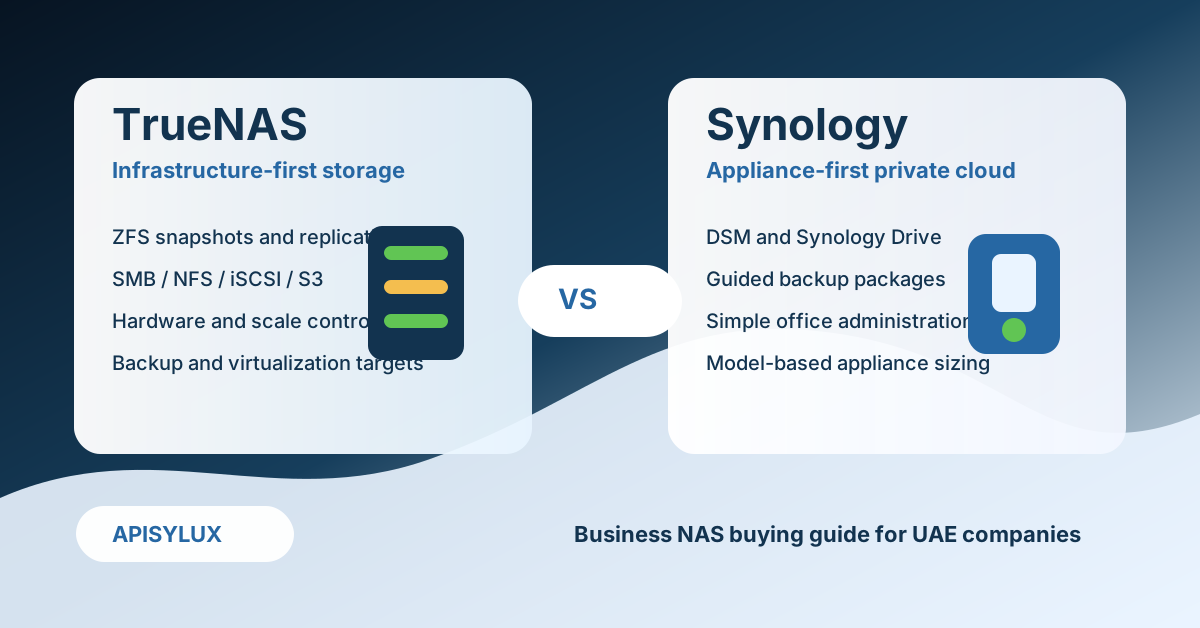
Choose TrueNAS when you need storage architecture control: ZFS pool design, SMB/NFS/iSCSI/S3-style services, snapshots, replication, larger expansion paths, mixed hardware options, and the ability to tune the platform around backup, virtualization, media, CCTV, or large file workloads.
Choose Synology when you need fast deployment and simple day-to-day administration: Synology DSM, Synology Drive, Snapshot Replication, Hyper Backup, Active Backup packages, mobile apps, and a polished appliance ecosystem that non-specialist administrators can operate more easily.
Platform philosophy
TrueNAS is a storage operating system and enterprise appliance platform built around OpenZFS. The current TrueNAS product line includes Community Edition for self-managed deployments and TrueNAS Enterprise appliances for supported production environments. Official TrueNAS materials highlight file, block, and object storage, OpenZFS snapshots, replication, encryption, API/CLI automation, and enterprise support options.
Synology DSM is an appliance operating system that runs on Synology hardware. Its strength is product integration: DSM, Synology Drive, Snapshot Replication, Hyper Backup, Active Backup packages, user management, mobile apps, monitoring, and a broad package ecosystem in one vendor-managed interface.
The simplest way to frame it: TrueNAS gives more architectural control; Synology gives more appliance polish. That is why Apisylux normally starts with the business workflow, not the brand.
Hardware and support
TrueNAS Community Edition can run on suitable x86 hardware, while TrueNAS Enterprise is delivered on supported TrueNAS appliances with professional support and SLAs. This flexibility matters when the design needs ECC memory, 10/25/40/100 GbE networking, all-flash pools, large SAS expansion shelves, ZFS mirrors, RAIDZ2/RAIDZ3, or a specific backup target architecture.
Synology is intentionally appliance-led. You select a DiskStation, RackStation, SA, FS, HD, UC, PAS, or other Synology model, then operate it through DSM. This is easier for many SMBs, but the hardware path is tied to the model family, expansion units, compatibility list, RAM limits, network ports, and package support for that unit.
For a small Dubai office with basic shared folders, a Synology Plus model may be enough. For a production storage target backing virtualization, large media, CCTV retention, or multi-site replication, TrueNAS Enterprise or a carefully designed TrueNAS server is usually the stronger architecture discussion.
File services and user experience
Both platforms can serve normal business file shares. TrueNAS SMB documentation notes that SMB shares are accessible from Windows, macOS, Linux, and BSD systems, with Active Directory recommended for business and enterprise SMB deployments. TrueNAS also supports NFS, iSCSI, and object storage patterns for infrastructure workloads.
Synology has the smoother staff-facing private cloud layer. Synology Drive provides web, desktop, and mobile access, team folders, sharing links, file locking, sync-on-demand, version restore, ShareSync for NAS-to-NAS sync, and administration/auditing tools. For users who expect a Google Drive or Dropbox-like experience from a NAS appliance, Synology is often easier to adopt.
If the main requirement is "a better private cloud for office users," Synology deserves a serious look. If the requirement is "a storage foundation for file, block, object, backup, and virtualization services," TrueNAS is usually the better fit.
Snapshots, replication and data protection
TrueNAS gets much of its strength from ZFS. TrueNAS documentation describes ZFS as a copy-on-write file system with checksums, self-healing behavior when redundancy is available, snapshots, replication to another ZFS pool, compression, RAIDZ, mirrors, scrubs, and boot environments. This makes TrueNAS attractive for companies that care about retention, rollback, ransomware recovery planning, and storage-level evidence.
Synology also has strong business recovery features. Snapshot Replication uses Btrfs point-in-time copies for shared folders and LUNs, supports replication to another Synology NAS, offers fast restores, flexible retention, logs, self-service recovery, and immutable snapshot options on supported systems. DSM also lists Hyper Backup and Active Backup packages for broader backup workflows.
The practical difference is control depth. TrueNAS exposes more storage-engine design decisions. Synology packages more recovery operations into guided applications. The first rewards storage expertise; the second reduces day-to-day admin friction.
Performance and scale
Performance depends on the exact hardware, disk layout, network, cache, workload, and protocol. A small TrueNAS box can be slower than a well-sized Synology, and a properly designed TrueNAS platform can outperform a small Synology by a large margin. Avoid generic claims that one platform automatically wins on speed or that Synology is only for small offices.
TrueNAS is often preferred when the design includes all-flash media, many disks, tuned ZFS vdevs, high-speed networking, block storage, object storage, virtualization targets, large backup repositories, or heavy concurrent file workloads. TrueNAS Enterprise also lists high-availability hardware options and large-scale enterprise appliances.
Synology covers a broad range too: Plus models for SMBs, XS/SA/FS/HD families for higher performance and capacity, UC systems for iSCSI/SAN workloads, and newer enterprise lines such as PAS. The limiting factor is that performance and expansion are model-specific. You should size from the workload, not from the bay count alone.
Use the TrueNAS storage calculator before buying disks, and validate usable capacity after redundancy, snapshots, replication, spares, ZFS overhead, and growth reserve. Running any NAS close to full capacity creates operational risk.
Cost and operational ownership
Synology can be cheaper to deploy because the appliance, DSM, and many packages are ready to use quickly. That matters for businesses without internal IT staff. The trade-off is appliance lock-in and model-specific limits. You still need compatible drives, backup storage, UPS, offsite copy, monitoring, and support.
TrueNAS Community Edition has no software license fee, but it is not "free infrastructure" if the business depends on it. Hardware selection, ZFS layout, memory, network, alerts, updates, snapshots, replication, backup, and monitoring all need competent ownership. TrueNAS Enterprise adds supported appliances and SLAs for companies that cannot rely on community support.
The right cost comparison is total lifecycle cost: initial hardware, disks, RAM, network, rack/UPS, backup target, admin time, support contract, restore testing, expansion plan, and the cost of downtime.
Comparison table
| Factor | TrueNAS | Synology |
|---|---|---|
| Best fit | Infrastructure-first storage, backup targets, virtualization storage, large file workloads, custom designs | Appliance-first file sharing, private cloud, office collaboration, guided backup apps |
| Storage engine | OpenZFS with snapshots, replication, checksums, compression, RAIDZ/mirrors and deep tuning | Btrfs-backed DSM features on supported models, Snapshot Replication, package-led recovery tools |
| User experience | Powerful for administrators; less appliance-like for non-technical users | Polished DSM interface, Synology Drive, mobile apps and guided packages |
| Hardware path | Community Edition on suitable x86 hardware or supported TrueNAS Enterprise appliances | Synology appliance families with model-specific expansion and compatibility |
| Support | Community support for CE; professional support and SLAs with Enterprise | Vendor appliance ecosystem, documentation, packages, and partner/channel support |
| Scale | Strong for high-capacity, high-performance, and custom enterprise storage designs | Broad range from small office NAS to larger Synology enterprise systems, but model-bound |
| Main risk | Poor design or weak administration can undermine the benefits of ZFS | Wrong model choice can create performance, bay, memory, network, or expansion limits |
UAE decision framework
- Small office file sharing: Synology is often faster to deploy and easier for staff. TrueNAS is still viable if an IT provider will manage it.
- Design, media, CCTV or large files: TrueNAS usually wins when disk layout, network speed, snapshots, and expansion need careful sizing.
- Virtualization or backup repository: Start with TrueNAS sizing, ZFS layout, iSCSI/NFS/SMB needs, and offsite replication design.
- Private cloud replacement: Compare Synology Drive with Nextcloud on TrueNAS/private hosting. See the private Google Drive alternative guide for this decision.
- Branch offices: Synology can be simple at the edge; TrueNAS can be stronger when branches need larger local storage or a standardized backup architecture.
- Compliance-sensitive records: Focus on documented hosting location, access control, encryption, retention, backup immutability, audit logs, and restore evidence. The NAS brand alone does not make the environment compliant.
Apisylux can design either pattern. For TrueNAS-heavy environments, start with TrueNAS storage solutions, private server hosting, and a recovery plan. For Synology-heavy environments, focus on model sizing, DSM package selection, backup policy, access governance, and monitoring.